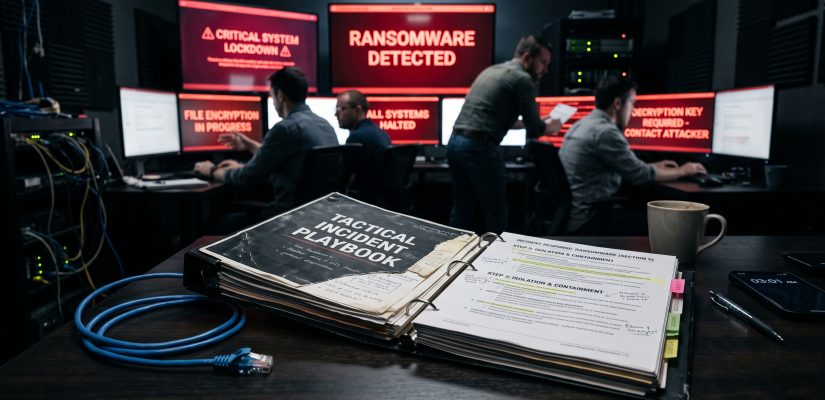
When It Hits the Fan: Why Your Incident Policy is Useless Without a Playbook

.
.
If you are running a 50-user small business, an emergency phone list and a hard rule to “pull the internet plug” might just save your neck during a cyberattack. But if you are operating in the upper mid-market, the enterprise sector, or critical infrastructure (KRITIS), relying on improvised emergency responses is operational suicide.
I have spent decades building Security Operations Centers and optimizing ITIL processes for highly complex environments, including international telecom providers and clinical infrastructure. I have seen exactly what happens when a targeted ransomware attack hits an unprepared organization at 2:00 AM on a Sunday. The resulting chaos is not a technology failure; it is a profound failure of process and leadership.
Most organizations believe they are prepared because they have a 50-page “Incident Response Policy.” Let me be brutally honest: that policy is written for auditors, not for your IT defenders.
The Illusion of the Incident Policy
An Incident Response Policy dictates why you act. It outlines compliance requirements, legal obligations, and high-level responsibilities. It is a vital governance document, but in the heat of a crisis, it is completely useless.
When your domain controllers are down, your backups are being systematically wiped, and your virtualization hosts are encrypting, your exhausted administrators do not have the time or the mental bandwidth to interpret a high-level policy. Furthermore, that policy is almost always stored on the corporate SharePoint—which is currently encrypted—or requires logging into a system that relies on the Active Directory, which the attackers now control.
You do not need a policy when you are bleeding out on the operating table. You need a Playbook.
The Cognitive Overload of a Cyber Crisis
To understand why playbooks are mandatory, you must understand the psychology of a breach. During a severe cyber incident, cognitive overload hits your technical team within minutes. Smart, highly capable engineers will suddenly make catastrophic mistakes.
The immediate instinct of a standard IT administrator is to restore service. They will attempt to clean an infected server and reboot it so the business can keep running. In a cyber crisis, this instinct is deadly. Rebooting a compromised system destroys volatile memory (RAM) and temporary files—the exact forensic evidence external responders need to determine how the attackers got in and whether they have established backdoors elsewhere.
Without a strict, prescriptive playbook commanding them to isolate rather than reboot, your own team will inadvertently destroy the crime scene.
What Makes a Playbook Effective?
A playbook dictates exactly how to act. It is a tactical, physical document that removes complex decision-making from the crisis phase. When you are under fire, you execute; you do not debate. While we will dive into the exact anatomical structure of a playbook in a future article, every enterprise-grade playbook must address these critical pillars:
- Pre-Authorized Authority (The Kill Switch): If your IT department has to wake up the CEO, who then has to convene the board of directors to approve severing the connection to the internet, you have already lost. The playbook must grant the designated Incident Commander absolute, pre-approved authority to shut down critical networks immediately to contain the blast radius.
- Out-of-Band Communication: If the attackers own your network, they are reading your MS Teams chats and monitoring your VoIP calls. A playbook defines secure, pre-established offline communication channels (like Signal or Threema on dedicated devices) that are completely decoupled from the corporate infrastructure.
- External Integration: A mid-market or enterprise IT team cannot fight a professional ransomware syndicate alone. A playbook ensures that your external Digital Forensics and Incident Response (DFIR) retainer is activated immediately, providing them with the exact network topologies and access points they need to start hunting.
The Bottom Line
A playbook is not a theoretical exercise. It must be printed, stored in a physical binder, and relentlessly drilled with your technical teams through tabletop exercises. If your incident response plan has not been tested under simulated pressure, you do not have a plan—you just have a piece of paper.
Stop relying on compliance documents to fight active threats. Build tactical playbooks, train your teams, and prepare for the inevitable.
The No-Bullshit Ransomware Playbook: A Tactical Guide for the First 48 Hours
In my last article, I stated that your 50-page Incident Response Policy is useless when you are bleeding out on the operating table, and that you need a tactical Playbook instead. Many of you asked what a real playbook actually looks like.
A playbook is not a governance document. It is a strict, prescriptive, military-style checklist designed to be executed by exhausted IT administrators who are operating under massive cognitive overload.
Below is an extracted, condensed version of a tactical Ransomware Playbook for a mid-to-large enterprise. It focuses purely on the most critical phase: the first hours after detection.
Core Directive: DO NOT REBOOT
Before any phase begins, this absolute rule applies to every IT staff member: Never reboot a compromised system. Rebooting destroys volatile memory (RAM), which holds the cryptographic keys, active attacker connections, and the exact forensic evidence needed to save your network. If you reboot, you destroy the crime scene.
Phase 1: Verification & Authority (Minute 0 – 15)
The moment a high-severity alert is verified (e.g., multiple hosts reporting file encryption, ransom notes appearing, or massive unauthorized Active Directory changes), standard IT operations cease.
-
1.1 Declare the Incident: The discovering analyst immediately alerts the designated Incident Commander (IC).
-
1.2 Assume Command: The IC officially declares a “Code Red.” From this second forward, the IC has absolute, dictatorial authority over the network.
-
1.3 Execute the Kill Switch: The IC does not ask for board approval. The IC immediately orders the disconnection of all external Internet uplinks and Site-to-Site VPNs to contain data exfiltration.
Phase 2: Out-of-Band Communication (Minute 15 – 30)
Assume your entire corporate infrastructure is hostile. The attackers are reading your emails and listening to your MS Teams calls.
-
2.1 Abandon Ship: All crisis communication on corporate Exchange, Teams, or Slack is strictly prohibited.
-
2.2 Switch Channels: The core crisis team shifts exclusively to pre-installed out-of-band communication (e.g., Signal or Threema groups on personal/isolated mobile devices).
-
2.3 Physical War Room: If possible, establish a physical war room with whiteboards and offline network diagrams.
Phase 3: Hard Containment (Minute 30 – 60)
The goal is to stop the lateral movement of the ransomware. We isolate; we do not eradicate yet.
-
3.1 Disconnect, Don’t Power Down: IT staff physically unplugs network cables from critical servers (Domain Controllers, Backup Servers, File Servers) or disables the virtual NICs in the hypervisor. The machines stay powered on to preserve RAM.
-
3.2 Protect the Backups: Immediately verify if the backup infrastructure (Veeam, Commvault, etc.) is air-gapped or immutable. If it is on the same compromised Active Directory, isolate the backup storage arrays physically.
-
3.3 Lock Down Credentials: The IC orders a forced password reset for all Domain Admins and Service Accounts, executed only after external uplinks are cut.
Phase 4: Activating the Retainer (Hour 1 – 2)
Your internal team cannot handle a full-scale forensic investigation while simultaneously trying to keep the business alive.
-
4.1 Call the Cavalry: The IC activates the external Digital Forensics and Incident Response (DFIR) retainer via the 24/7 emergency hotline.
-
4.2 Briefing: Provide the external DFIR team with the prepared “Crisis Package” (offline network topology maps, list of critical assets, and firewall logs from the 24 hours prior to the kill switch).
-
4.3 Legal Notification: The IC officially notifies the external legal counsel and PR agency. Technical staff is strictly forbidden from speaking to the press or posting on social media.
Phase 5: Triage and Rebuilding (Hour 2 – 48)
Do not rush to restore from yesterday’s backup. If you restore an infected backup onto an infected network, you will just get encrypted again.
-
5.1 Forensic Imaging: Wait for the external DFIR team to capture RAM images and forensic copies of Patient Zero and the Domain Controllers.
-
5.2 Clean Room Build: Begin building a completely new, parallel Active Directory environment (“Clean Room”). Do not attempt to clean and reuse the compromised Domain Controllers. Burn them to the ground and start fresh.
-
5.3 Patient Restoration: Only move data (not executables or OS states) into the clean environment after it has been rigorously scanned by the DFIR team.
The Bottom Line
This checklist looks simple on paper, but executing it flawlessly at 3:00 AM requires brutal discipline. You must print this playbook out, put it in a binder, and run tabletop exercises until your technical team knows it by heart. When the screen goes red, you do not improvise. You execute.

Recent Comments